
Suppliers
The Suppliers module is your supplier register. Every NCR, CAPA, and RMA in Sertiq is bound to exactly one supplier, and each supplier carries a quality score, a risk band, and an evaluation history. This page is the operational home for clause 8.4.1 (general supplier control) — see ISO 9001 clause 8.4 mapping.
Supplier list
Section titled “Supplier list”Suppliers are grouped by risk band (High / Medium / Low). Each row shows the supplier’s quality score (0–100), open NCR count, and the last evaluation date.
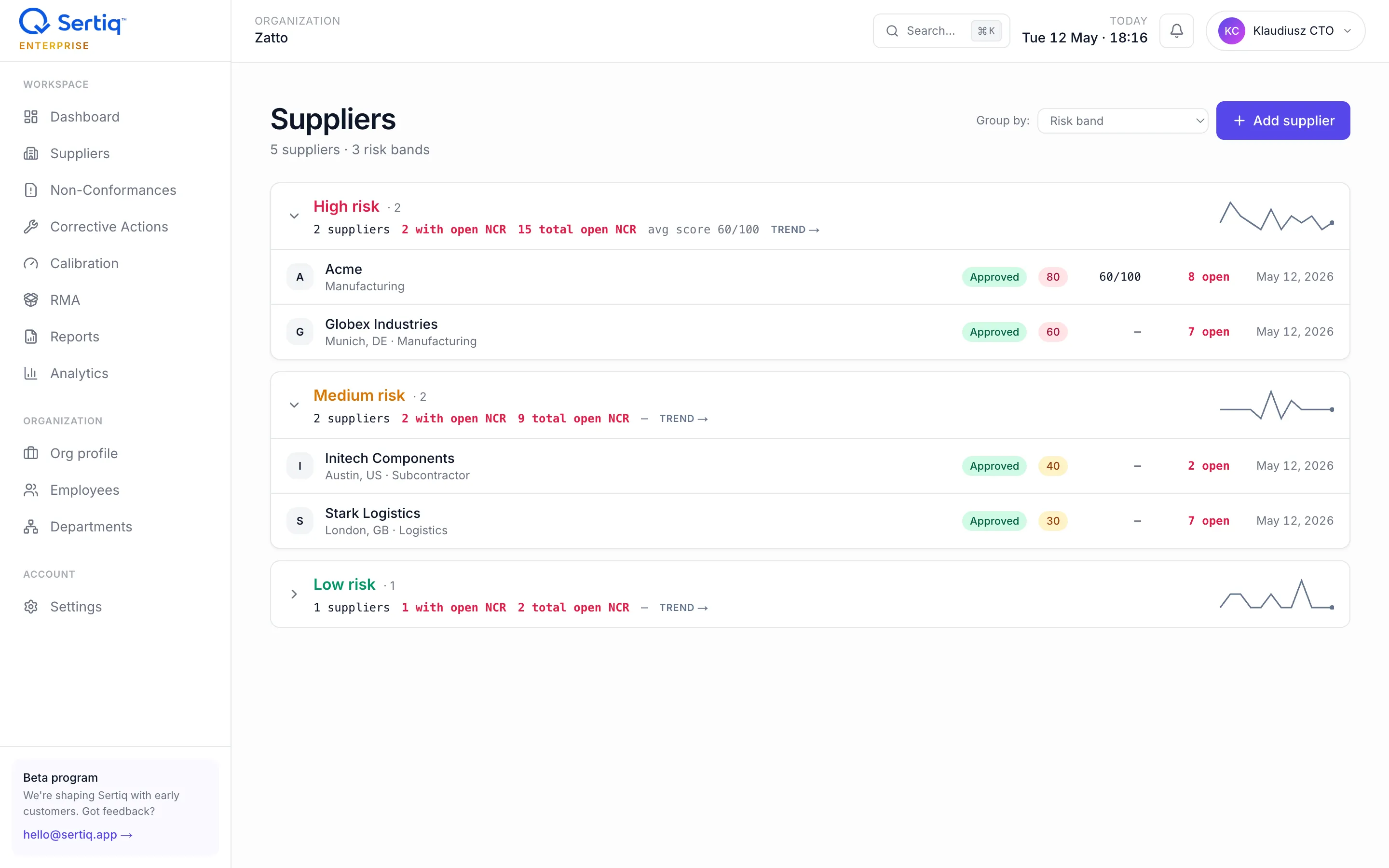
Click Add supplier to register a new one. Required fields: name, category, country, primary contact email. Optional: full address, secondary contacts, tax / DUNS reference, free-form notes. The starting risk band is set manually (default medium) and recomputes automatically after the first finalised evaluation.
Filtering and search
Section titled “Filtering and search”- Search — name and contact email, debounced 180 ms.
- Category facet — filters to one supplier category (e.g.
castings,machining,electronics). - Status facet —
active/inactive. Default hides inactive. - Risk band facet — High / Medium / Low.
Global search (Cmd+K) also resolves supplier names in one keystroke from anywhere in the app — see Workspace UX.
Supplier detail
Section titled “Supplier detail”The supplier page combines a scorecard with every linked record: evaluations, NCRs, CAPAs, returns (RMA), AI risk profile, and documents.
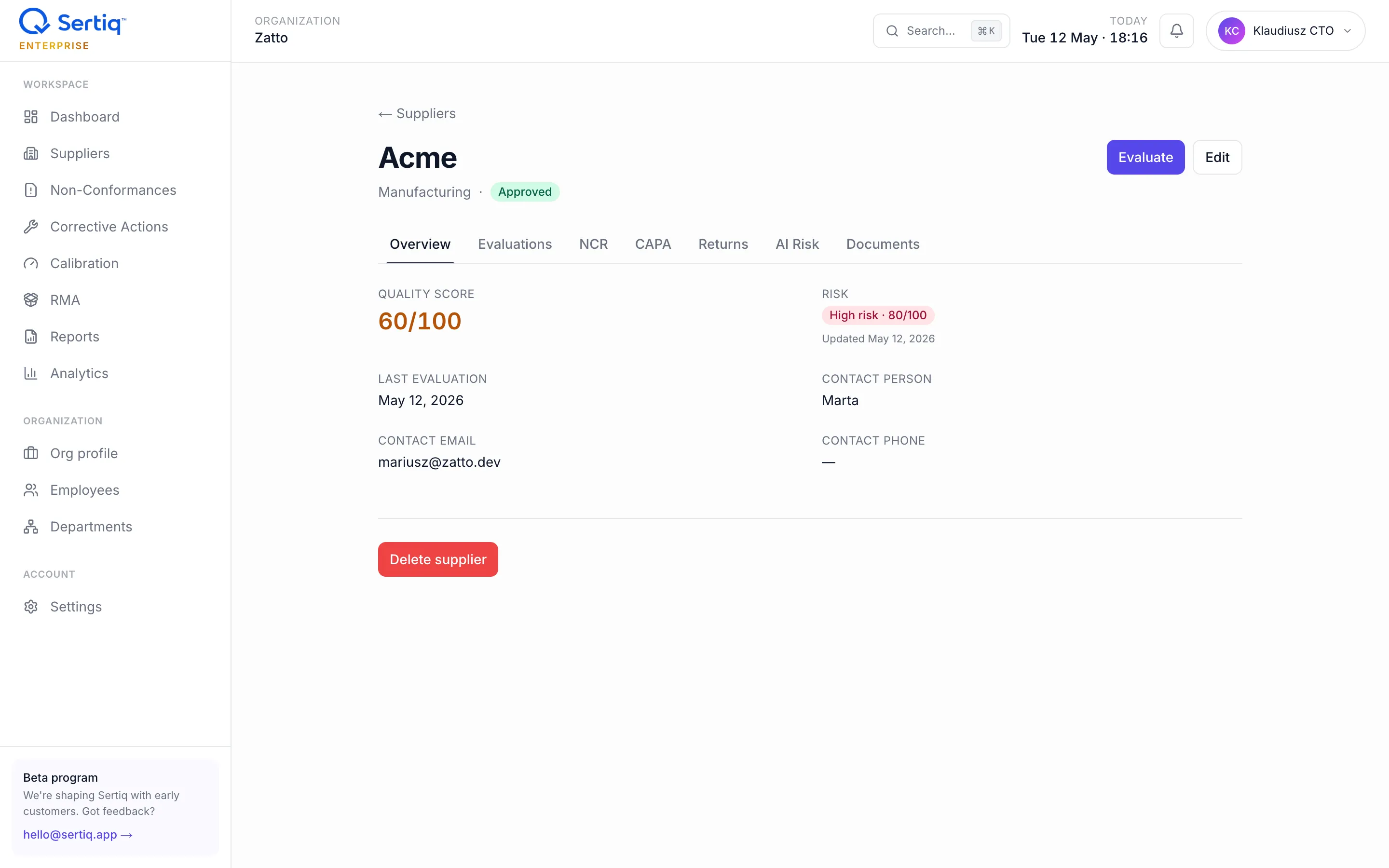
From here you can:
- Run a new evaluation (score-driven; feeds the quality score and risk band).
- Edit identity and contact info.
- Jump to any linked NCR / CAPA / RMA by clicking its number — the swim-lane on each list also deep-links here.
- Generate this supplier’s audit
.docx(Starter+) or AI Risk Profile (Pro+). - Deactivate the supplier (preserves history; removes from picker and analytics).
- Delete the supplier (cascade-protected — open NCRs / RMAs must be closed first).
Quality score (0–100)
Section titled “Quality score (0–100)”The supplier quality score is recomputed by a Postgres trigger on every:
- NCR publish, status change, or close.
- CAPA close or effectiveness verification.
- RMA close.
- Evaluation finalisation.
Score logic (simplified):
- Starting score: latest evaluation’s weighted score, or 70 if no evaluation yet.
- Subtract 5 points per open
minorNCR (capped at 15). - Subtract 10 points per open
majorNCR (capped at 30). - Subtract 20 points per open
criticalNCR (capped at 40). - Subtract 15 points per overdue CAPA (capped at 30).
- Add 5 points for each
effectiveverification in the last 90 days (capped at 15).
The final score is clamped to [0, 100]. Mappings to risk band:
| Score | Risk band |
|---|---|
| 80–100 | Low |
| 50–79 | Medium |
| 0–49 | High |
You can override the auto-computed risk band from the supplier detail page if you have policy reasons (e.g. a flight-safety supplier auto-pinned to High regardless of score). Overrides are tagged and surface as risk_band_override = true in exports.
Evaluations
Section titled “Evaluations”Each supplier carries an evaluation history. The default template uses five weighted dimensions:
| Dimension | Default weight |
|---|---|
| Quality (PPM, NCR rate) | 30% |
| Delivery (OTD, lead time) | 20% |
| Compliance (certs, ISO 9001) | 20% |
| Communication / responsiveness | 15% |
| CAPA capability | 15% |
Edit weights from Settings → Evaluation template (admin only). Weights must sum to 100. Score per dimension is 0–100; the weighted total drives the quality score.
Evaluations are immutable once finalised — to correct, run a new one. Historical evaluations stay on file for the audit trail. See Status lifecycle.
Edge cases
Section titled “Edge cases”Cannot delete an active supplier.
A supplier with open NCRs, open CAPAs, or open RMAs cannot be deleted. The RPC raises errcode = 'P0001' with the count of blockers. Close or reassign first, then retry — or use Deactivate to remove from the picker while keeping the record.
Supplier merge / dedupe.
Not yet supported in-app. If you have duplicate registrations (e.g. Acme Ltd and Acme Limited), the workaround is to deactivate one and re-link records manually via supabase SQL — open a support ticket and we’ll do the merge for you. Native merge is on the v1.3 roadmap.
Multi-site supplier. Each Sertiq tenant can register the same legal entity at multiple sites if you need separate scorecards per plant. Use the Site field on Enterprise multi-site, or append the city in the supplier name for single-site plans.
Plan limits
Section titled “Plan limits”| Plan | Max suppliers |
|---|---|
| Free | 5 |
| Starter | 25 |
| Pro | 100 |
| Enterprise | Unlimited |
The cap applies to status = 'active' suppliers only. Deactivate to free a slot without losing history.