
Corrective Actions (CAPA)
A CAPA in Sertiq is a long-term action that addresses an NCR’s root cause. Every CAPA is bound to exactly one NCR and to one assignee inside your organisation. CAPAs map to ISO 9001:2015 clause 10.2 — Nonconformity and corrective action.
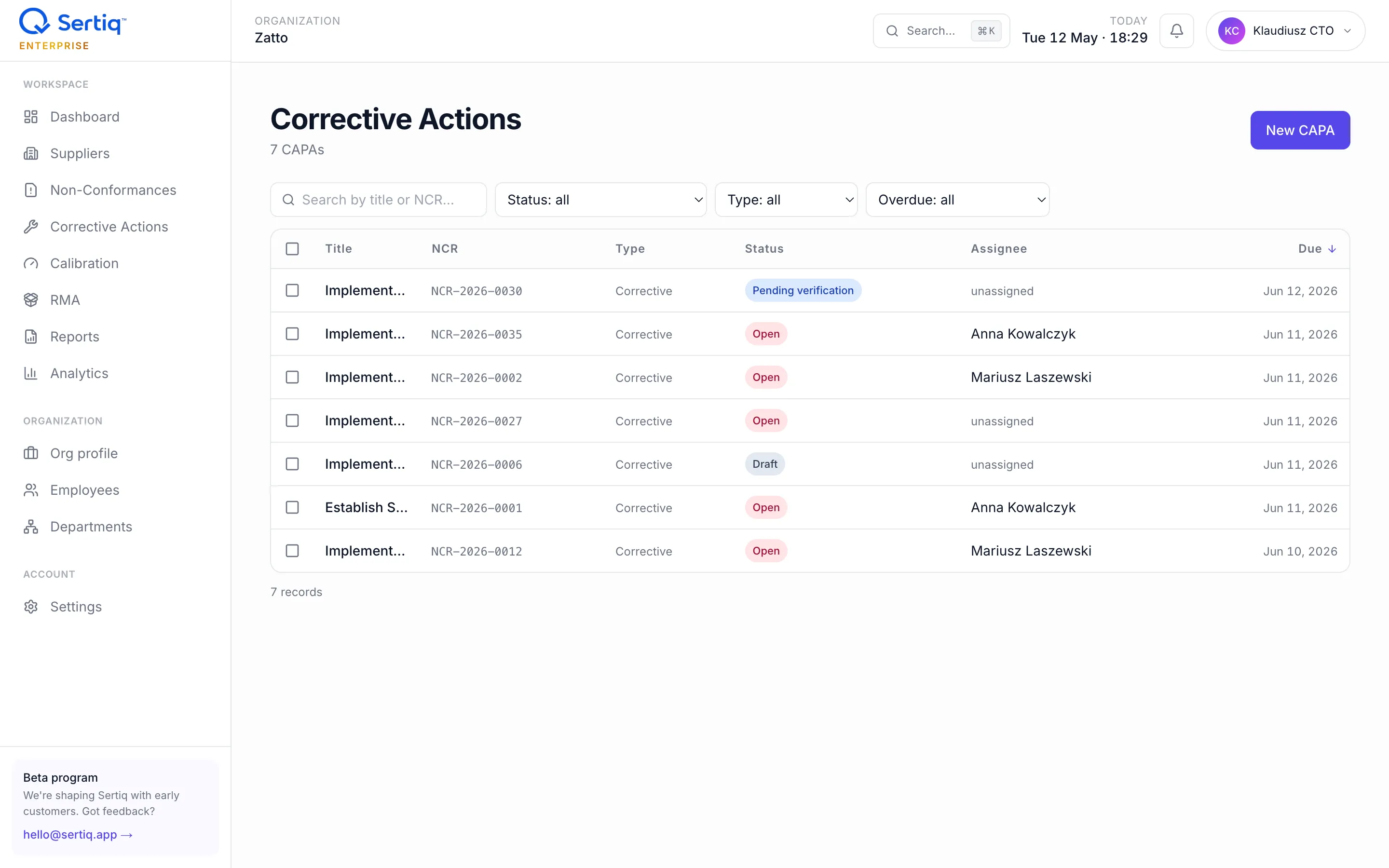
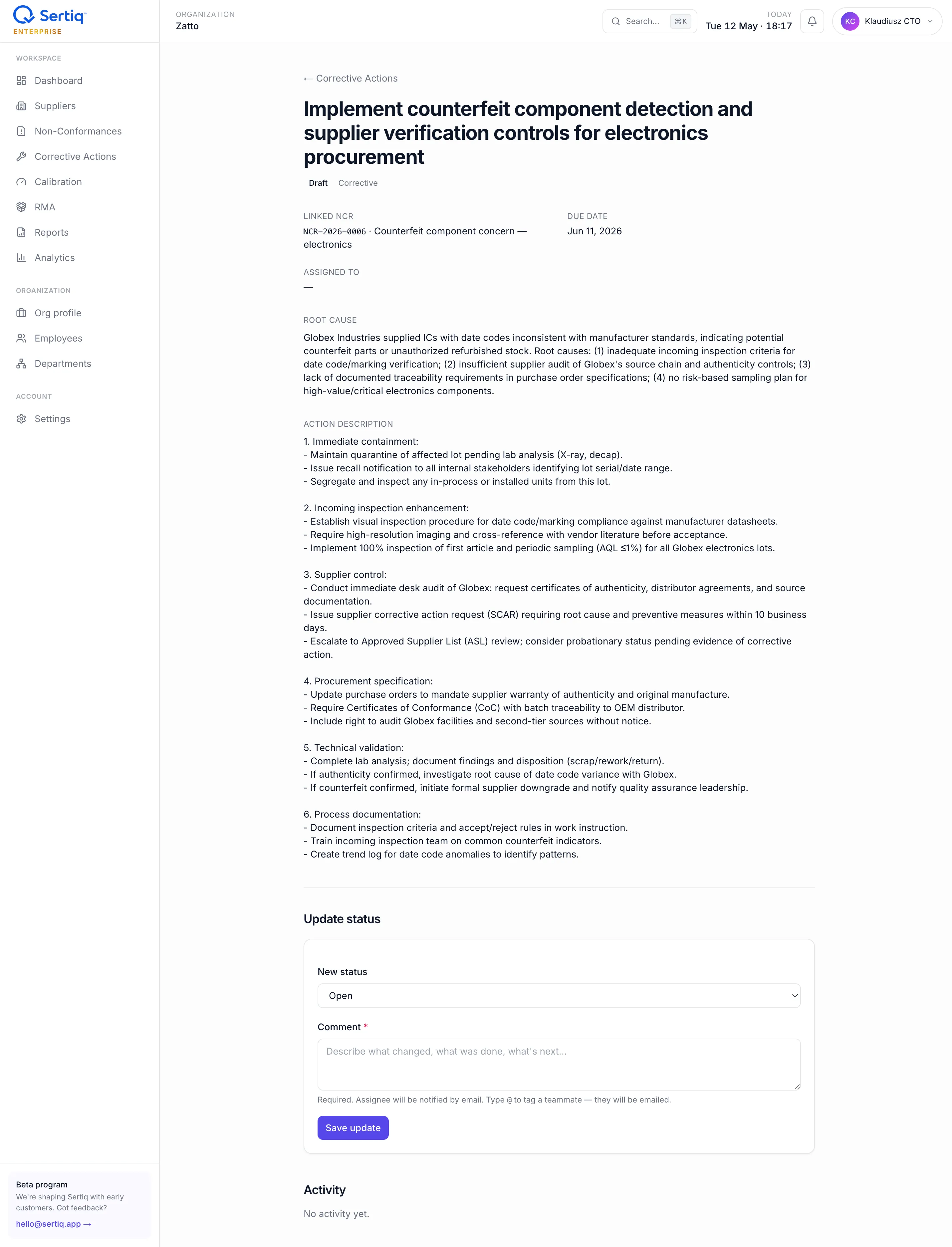
The detail page shows the root cause and action description, the linked NCR, and a comment-required status update form below.
Corrective vs preventive
Section titled “Corrective vs preventive”Sertiq supports two action types on the same capa_actions table:
corrective— you fix a problem that already happened. Use this for the standard “supplier shipped wrong lot, change incoming inspection” case.preventive— you act on a near-miss or trend before it produces a non-conformance. Use this when an NCR investigation surfaces a wider risk.
The type is a free choice at creation time. Both flow through the same lifecycle and timeline.
Raise a CAPA
Section titled “Raise a CAPA”-
Open the parent NCR and click + Add CAPA, or go to CAPA → New and pick the NCR from the picker. The NCR must belong to your organisation.
-
Enter a title (≥3 chars) and an optional description and root cause. Root cause shows in the audit
.docx, so capture the 5-Why or fishbone outcome here. -
Pick the action type (
correctiveorpreventive). -
Assign an owner via the typeahead. The list is scoped to active members of your organisation; the selected user gets an email when you publish.
-
Set a due date. CAPAs past their due date count toward your supplier risk score (15 points each, capped at 30).
-
Click Publish CAPA. Status flips from
drafttoopenand the assignee is notified.
Status lifecycle
Section titled “Status lifecycle”draft ─► open ─► inProgress ─► pendingVerification ─► closeddraft— saved but not published. Excluded from quotas, dashboards, and analytics. See Drafts.open— published; assignee has been notified.inProgress— work has started; root cause analysis or change implementation underway.pendingVerification— the assignee believes the action is complete and a reviewer must confirm.closed— verified complete.closed_atis stamped automatically and starts the 30-day effectiveness clock.
Comment-required updates
Section titled “Comment-required updates”Every status change is an audit event. The capa_updates table records the user, the old status, the new status, and a mandatory comment between 3 and 4000 characters. The check is enforced at the database level — the UI rejects empty comments and so does Postgres.
This means there is no silent “edit” of a CAPA’s state. Auditors get a clean, chronological story per CAPA: who moved it, when, why.
Activity timeline
Section titled “Activity timeline”The CAPA detail page renders capa_updates in reverse chronological order. Each entry shows:
- Author (email).
- Status transition, e.g.
inProgress → pendingVerification. - The comment.
- Timestamp.
Comment-only entries (no status change) are allowed — use them to log a finding or a question without forcing a state move.
Effectiveness verification
Section titled “Effectiveness verification”ISO 9001 clause 10.2.1 (e) asks you to review the effectiveness of corrective action. Sertiq enforces this automatically:
- When a CAPA reaches
closed, a trigger setseffectiveness_check_due_at = closed_at + 30 days. - After that date, admins and editors see the CAPA in the Effectiveness queue.
- The
verify_capa_effectivenessRPC records a rating and optional notes:
| Rating | Meaning |
|---|---|
effective | The action resolved the root cause; no recurrence. |
partially_effective | Improvement seen, but residual risk remains. Open a follow-up CAPA. |
ineffective | Problem recurred or the action did not address the cause. Reopen or escalate. |
Only closed CAPAs can be verified, and only by users with admin or editor role. Verifying stamps effectiveness_verified_at and effectiveness_verified_by for the audit trail.
Related
Section titled “Related”- NCR — every CAPA starts from an NCR.
- Drafts & autosave — how unpublished CAPAs behave.
- Status lifecycle — full state diagrams.