
Issue types
Issue types are the NCR categories your organisation uses. Every NCR is tagged with exactly one issue type, and the available list is configured per organisation in Settings → Issue types (admin only).
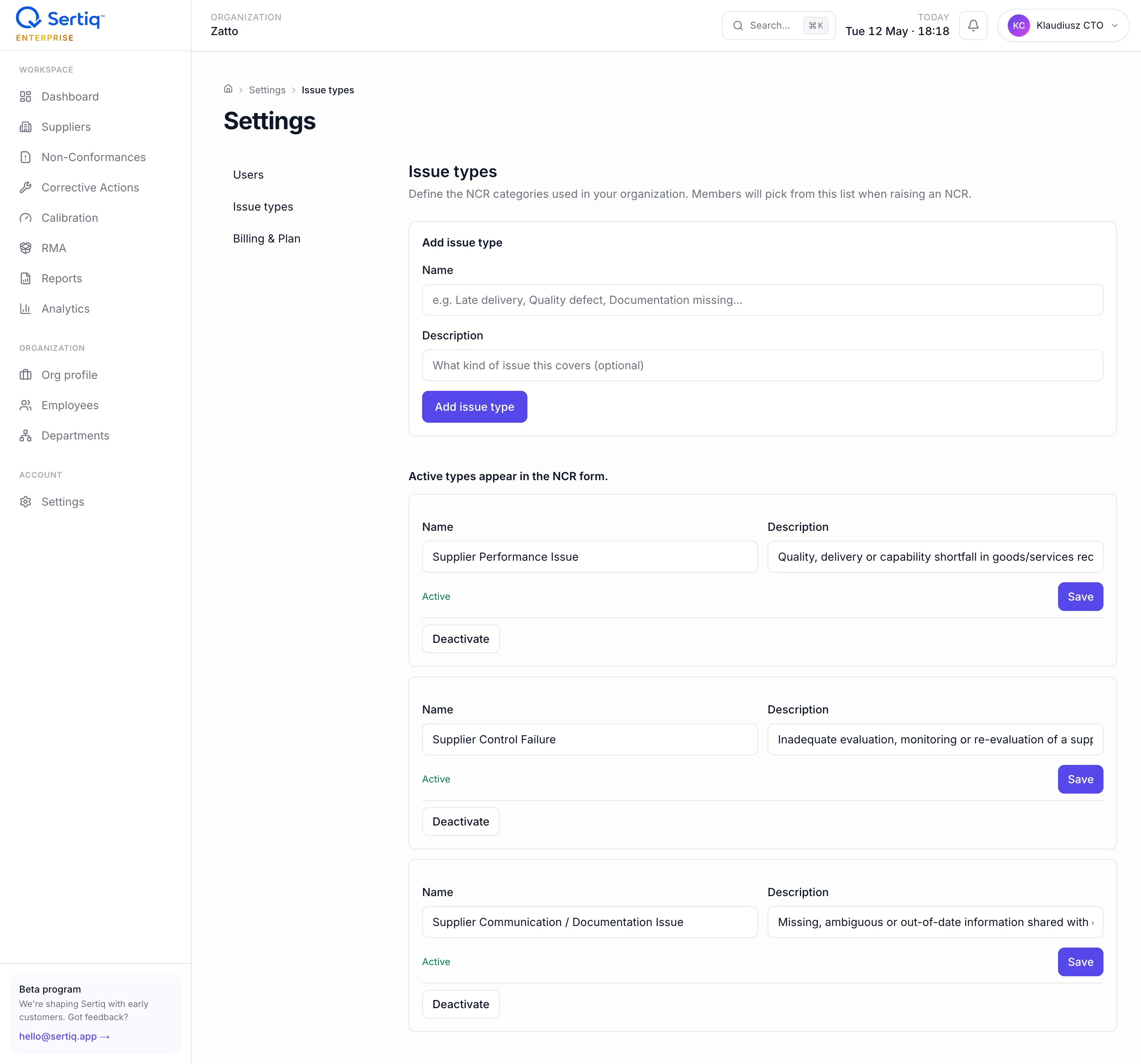
Issue types power filtering on the NCR list, the by issue type Pareto chart in Analytics, and the clause grouping in the audit .docx.
Defaults
Section titled “Defaults”New organisations start with three ISO 9001 8.4-aligned types, pre-seeded by the seed_default_issue_types RPC at organisation creation:
| Default type | ISO clause | When to use |
|---|---|---|
| Supplier Performance Issue | 8.4.1 | Quality, delivery, or capability shortfall in goods or services received. The classic “wrong dimension, wrong material, late delivery” bucket. |
| Supplier Control Failure | 8.4.2 | Inadequate evaluation, monitoring, verification or re-evaluation of a supplier. Receiving inspection missed a defect, certificate of conformity was wrong, FAI was not run. |
| Supplier Communication / Documentation Issue | 8.4.3 | Missing, ambiguous, or out-of-date information shared with or from a supplier. Spec revision not communicated, PO requirement not honoured, ambiguous drawing notes. |
The seeded descriptions show as helper text in the NCR form so people pick the right category.
Customising
Section titled “Customising”Admins can edit the list at any time from /settings/issue-types.
Add a type
Section titled “Add a type”Use the form at the top of the page:
- Name — short, ≤80 characters. Shown in the NCR form dropdown.
- Description — one to two sentences. Shows as helper text under the dropdown when the type is selected.
- ISO clause (optional) — 8.4.1, 8.4.2, or 8.4.3. Used for clause grouping in the audit
.docx. - Active — toggle. Inactive types are hidden from new NCRs but preserved on historical data.
Deactivate a type
Section titled “Deactivate a type”Click Deactivate next to any type. The type:
- Disappears from new NCRs’ dropdown.
- Stays on every historical NCR that was tagged with it.
- Continues to show in Pareto charts and reports for past data.
Deactivation is reversible — click Activate to bring it back.
Edit a type
Section titled “Edit a type”You can rename, change description, or change the ISO clause. Historical NCRs immediately reflect the new name in lists and reports — there is no per-record name snapshot.
Delete a type
Section titled “Delete a type”Permanent delete is only allowed if no NCRs reference the type. The RPC raises errcode = 'P0001' with the blocking count. Use Deactivate for retired types you still have NCRs against.
Examples of custom types
Section titled “Examples of custom types”Real-world additions teams have created:
- Counterfeit Component Concern — AS9100 / aerospace, separate from generic performance.
- Packaging / Marking Failure — when the part is fine but labelling is wrong.
- Logistics / Transit Damage — supplier shipped clean; courier damaged.
- Certificate / Cert of Conformity Error — when the paperwork is the problem, not the part.
- Calibration Out-of-Date on Receipt — instrument-specific receiving check failure.
Aim for a list that’s specific enough to drive Pareto insight but small enough that selecting the right one isn’t a chore. Most teams converge on 5–8 active types.
Audit log
Section titled “Audit log”Every change writes to audit_log:
action = 'issue_type_created' | '_updated' | '_deactivated' | '_activated' | '_deleted'actor_id = acting admintarget_id = issue_type_idmetadata = { "name": "...", "old_name": "..." }Auditors can see who shaped your category taxonomy and when.
Plan considerations
Section titled “Plan considerations”Issue types are not plan-limited. Even Free organisations can customise the list — though most teams stick with defaults until they see real Pareto patterns.
Related
Section titled “Related”- NCRs — uses issue types in the form.
- Analytics — by-issue-type Pareto chart.
- ISO 9001 clause 8.4 mapping — where the defaults come from.
- Workspace access — only admins can edit.